
HVAC Technician Certificate
£19.99£89.99
Mastering Workstation Safety Basics: Ensuring Safe Work Environments for Productivity Welcome to Learning Ladder, your go-to destination for comprehensive and impactful online courses designed to enhance your skills and knowledge.…
Mastering Workstation Safety Basics: Ensuring Safe Work Environments for Productivity
Welcome to Learning Ladder, your go-to destination for comprehensive and impactful online courses designed to enhance your skills and knowledge. In today’s fast-paced work environments, safety is paramount, and our course, “Mastering Workstation Safety Basics,” is crafted to equip you with essential knowledge and practices to ensure a safe and productive workspace.
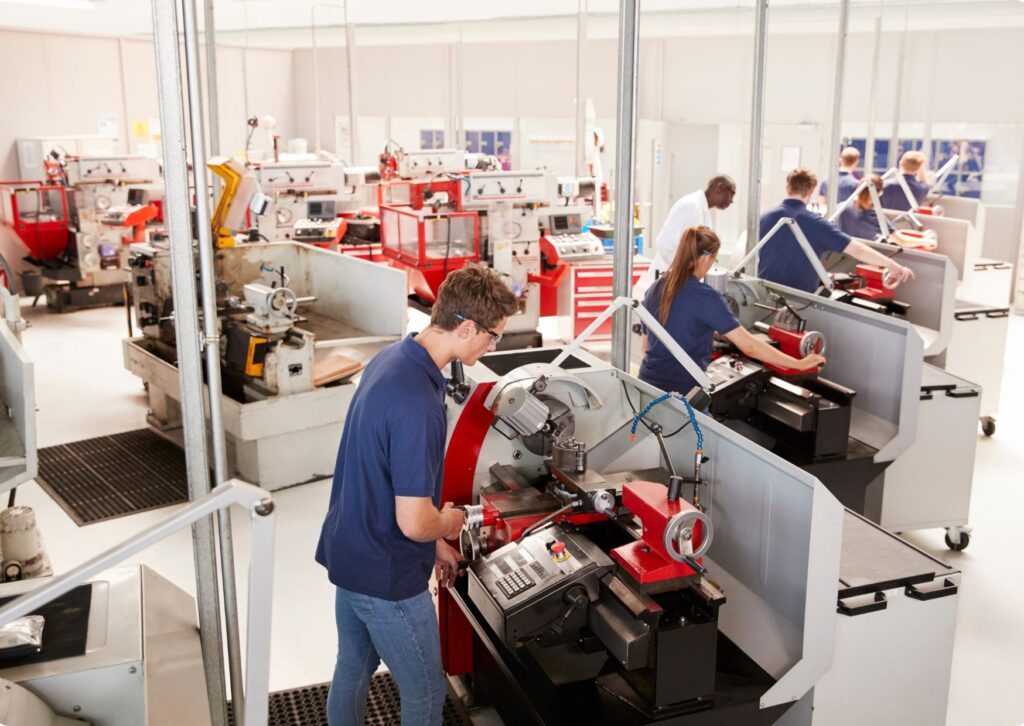
Course Overview: “Mastering Workstation Safety Basics” is a meticulously curated course tailored to individuals across various industries and professions. Whether you’re working in an office, laboratory, factory, or any other environment, understanding and implementing workstation safety measures is crucial for your well-being and efficiency.
Course Structure: Our course is divided into modules, each focusing on key aspects of workstation safety. From ergonomic principles to hazard identification and emergency procedures, we cover a comprehensive range of topics to empower you with the knowledge and skills needed to create a safe working environment.
Module 1: Introduction to Workstation Safety In this module, you will gain a foundational understanding of the importance of workstation safety. We’ll explore the legal and ethical obligations surrounding workplace safety and introduce you to essential concepts that form the basis of safe working practices.
Module 2: Ergonomics and Posture Proper ergonomics and posture are fundamental to preventing workplace injuries and enhancing productivity. In this module, you’ll learn about ergonomic principles and how to set up your workstation to promote comfort and reduce the risk of musculoskeletal disorders.
Module 3: Hazard Identification and Risk Assessment Identifying hazards in the workplace is the first step towards mitigating risks. This module will teach you how to recognize potential hazards, assess risks, and implement control measures to create a safer work environment for yourself and your colleagues.
Module 4: Safety Equipment and Personal Protective Gear Equipping yourself with the right safety equipment and personal protective gear can significantly reduce the likelihood of workplace accidents and injuries. In this module, you’ll learn about the various types of safety gear available and how to use them effectively.
Module 5: Emergency Procedures and First Aid Being prepared for emergencies is essential in any work setting. In this module, you’ll discover the importance of emergency preparedness and learn how to respond effectively to different types of workplace emergencies. We’ll also cover basic first aid techniques that can make a difference in critical situations.
Module 6: Creating a Culture of Safety Safety is everyone’s responsibility, and fostering a culture of safety within your organization is key to preventing accidents and promoting well-being. In this final module, you’ll learn how to advocate for safety, communicate effectively with colleagues about safety issues, and actively contribute to a safer work environment.
Benefits of Taking This Course:
Who Can Benefit From This Course:
Why Choose Learning Ladder: At Learning Ladder, we are committed to providing high-quality, engaging, and practical courses that deliver real-world value. Here’s why you should choose us for your learning journey:
Enroll Today: Don’t wait until it’s too late. Invest in your safety and well-being by enrolling in “Mastering Workstation Safety Basics” today. Join thousands of learners who have already benefited from our courses and take the first step towards creating a safer and more productive work environment.
At Learning Ladder, your success is our priority. Start your journey towards mastering workstation safety basics with us today!